
- Locations
- Interviews
- Luxury Home
- Luxury Lifestyle
- Luxury Travel
- Luxury News
- Events
- More
- Magazine

As visual content continues to dominate digital marketing and social media, content creators are increasingly looking for ways to produce high-quality images quickly and efficiently. AI-powered image generators like Flux 2 are transforming the way designers, marketers, and social media managers approach content creation, making it easier than ever to generate professional-grade visuals without the need for advanced design skills.
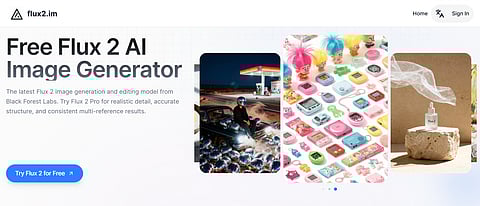
Flux2.im offers users the ability to try Flux 2 free online, giving them the opportunity to explore its features and capabilities. With a simple, accessible interface, Flux2.im allows users to generate high-quality images directly from their browser, making it a practical solution for a variety of creative needs.
Flux 2 is an advanced AI image generator created by Black Forest Labs, designed to help content creators easily generate high-quality images. By using deep learning models, Flux 2 AI produces detailed visuals from simple text prompts or image references, offering a fast and efficient solution for various creative needs. Whether it's social media graphics, marketing visuals, or product renders, Flux 2 provides the flexibility and power to bring ideas to life.
Flux 2 offers several standout features that make it an ideal solution for content creators, marketers, and designers looking to generate high-quality images quickly and efficiently. Below are the key features that set Flux 2 apart:
Flux 2 excels at generating highly detailed and realistic images with a resolution of up to 4MP, making it suitable for professional use. Whether you're creating visuals for websites, social media posts, or print materials, Flux 2 ensures that your images are sharp, clear, and ready for a variety of applications. Its ability to produce high-resolution images makes it a powerful tool for designers and marketers who need top-tier visuals without the need for advanced graphic design skills.
With Flux 2, image quality is taken to the next level. The AI generates images with richer textures, clearer details, and more realistic lighting. Thanks to its advanced physics simulation, the lighting adapts to the environment, creating more lifelike visuals. This makes Flux 2 perfect for creating product renders, architecture designs, or any visual that demands accurate lighting and intricate details.
Flux 2 also excels in text rendering, making it a great choice for generating complex layouts, infographics, memes, or UI models with clear and crisp text. It can handle intricate typography and structure, ensuring that your designs not only look visually appealing but also maintain readability and clarity. Whether you're creating educational graphics, advertising content, or digital assets for web design, Flux 2 can efficiently incorporate detailed text into your visuals.
One of the standout features of Flux 2 is its ability to follow complex prompts with precision. The AI can handle multi-part instructions, compositional constraints, and detailed stylistic requests, ensuring that the generated images closely match your vision. This capability is particularly useful for professionals who need to work with highly specific design requirements, whether it’s for marketing materials, brand assets, or any creative project that demands attention to detail.
Using Flux 2 is quick and easy. Follow these three simple steps to start generating high-quality images for your content creation needs:
To get started, visit Flux2.im and sign up for an account. Once you’re logged in, you’ll have access to the Flux 2 image generator and can begin creating images instantly. If you're using the Flux 2 free online, you can explore its core features without any cost.
Next, enter a text prompt describing the image you want to create, or upload reference images that Flux 2 AI can use. The more specific and detailed your input, the better your results will be. Whether you are generating a product image, infographics, or social media graphics, Flux 2 is designed to handle complex prompts with ease.
Once you've entered your prompt or uploaded images, click on the generate button. Flux 2 will process the information and create your visual. The process typically takes only a few moments. Once your image is ready, you can preview, download, and use it for your projects.
Flux 2 is designed to meet the diverse needs of content creators, marketers, designers, and developers. Here are some practical use cases that highlight the unique advantages of Flux 2 in various creative fields:
For marketers looking to create eye-catching visuals for social media platforms, Flux 2 AI offers a quick and effective solution. By using simple text prompts, marketers can generate tailored images for Facebook, Instagram, Twitter, and more. Whether it's promotional graphics, quotes, or seasonal campaigns, Flux 2 produces high-quality images with the right dimensions and style, saving valuable time while maintaining visual consistency across platforms.
E-commerce businesses can leverage Flux 2 to create professional product images without the need for expensive photography. Using Flux 2 AI, product images can be generated with realistic textures and lighting, perfect for online listings and advertisements. Whether showcasing a new collection or highlighting product details, Flux 2 ensures high-resolution images that capture attention and improve the shopping experience for customers.
For educators, content creators, and businesses creating educational content, Flux 2 is an ideal tool to generate informative and engaging infographics. By providing a detailed prompt, users can create clear, well-structured infographics that break down complex information into visually digestible formats. This is especially useful for presentations, blog posts, and explainer videos, where a visual representation of data or processes is key to effective communication.
Flux 2 simplifies the creation of engaging visuals for websites and blogs. Content creators can use the tool to generate header images, illustrations, and other graphical elements that match their website’s theme and style. With high-resolution outputs and customizable options, Flux 2 AI helps bloggers and web designers create unique visuals that enhance the overall user experience and drive more engagement.
Flux 2 AI offers a solution for content creators, marketers, and designers looking to generate high-quality images quickly and efficiently. With its advanced features, including high-resolution image generation, realistic textures, and precise text rendering, Flux 2 can easily meet the diverse needs of digital creators. Whether you're designing social media graphics, product images, or infographics, Flux 2 AI simplifies the creative process, saving both time and effort while ensuring professional-level results.
Flux2.im provides easy access to Flux 2 free online, enabling users to explore its full capabilities without any cost. Whether you're a beginner or an experienced professional, Flux 2 is a versatile and accessible AI image generator that enhances the content creation process.
Inspired by what you read?
Get more stories like this—plus exclusive guides and resident recommendations—delivered to your inbox. Subscribe to our exclusive newsletter
The products and experiences featured on RESIDENT™ are independently selected by our editorial team. We may receive compensation from retailers and partners when readers engage with or make purchases through certain links.