
- Locations
- Interviews
- Luxury Home
- Luxury Lifestyle
- Luxury Travel
- Luxury News
- Events
- More
- Magazine

That’s the quiet challenge for boutique hotels. Your rooms might be gorgeous, your service warm, your breakfast the stuff of local legend. But guests meet your photos first. If the photos don’t carry the same charm as the property, you lose the booking before you ever meet the guest.
The good news is that you don’t need a big budget or a design team to fix it. Here’s how small hotels can use AI image editing to polish the visuals they already have, and where to draw the line.
Think of your website, booking listings and social feed as a front desk that’s open 24 hours a day. Each image greets a potential guest and answers a silent question: Is this the kind of place I want to stay?
A few common problems quietly work against hotels:
Gloomy lighting from photos taken on an overcast day
Distractions like cables, bins, ladders or a stray suitcase in the frame
Mismatched looks because photos came from different photographers and seasons
Awkward crops when one image has to fit a website banner, a square post and a story
None of these need a full reshoot to fix.
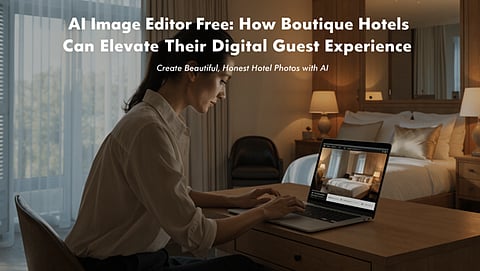
Modern editors let you describe a change in plain language, then apply it to a photo you already own. A good AI image editor free option such as EzEditor works this way: upload a photo, pick a model, and use a preset template or your own instructions. Per the site, it accepts JPG, PNG and WEBP files up to 24MB, supports up to five reference images, lets you set aspect ratio and resolution, offers watermark-free downloads, and requires no sign-up, with five free credits per day.
For a hotel, that opens up several practical wins:
Warm up the mood. Nudge a flat afternoon photo toward the glow guests will actually feel at dusk.
Clear the clutter. Remove the extension cord, the delivery van in the window reflection or the maintenance sign.
Match your look. Bring photos from different shoots closer together in tone.
Fit every channel. Generate a wide banner, a square post and a vertical story from the same scene.
Preview ideas. Test a color scheme before you repaint a wall.
This is the part that matters most. Hospitality runs on trust, and nothing damages it faster than guests arriving to find the room doesn’t match the photos.
Fine to do: fix color, brighten a dim image, remove temporary clutter, resize for different platforms.
Never do: add a view that isn’t there, make a room look bigger, hide wear or damage, show furniture you don’t own, or invent amenities.
A quick test: would a guest say, “Yes, that’s the room, on a good day”? If so, publish. If they’d say, “That isn’t what I got,” don’t. Beyond reviews, misleading images can run into consumer-protection rules and booking-platform policies, so check both.
Tell the tool what to change and what to leave alone. Some examples:
“Warm the lighting slightly, like early evening. Keep the layout, furniture, walls and window view exactly the same.”
“Remove the cable by the bed. Don’t change anything else.”
“Extend to a wide format. Keep the architecture and decor unchanged.”
Small, targeted edits are easier to check and far less likely to go wrong.
List where guests see your photos. Website, booking sites, social media, welcome emails, brochures.
Pick your worst offenders. Start with the images that look weakest.
Choose a signature look. A few words (warm, airy, understated) and one reference image.
Edit in small batches with the same prompt stem so results match.
Have someone check each edit against the real room.
Save your originals in case a platform or guest ever asks.
Refresh each season rather than letting hero images go stale.
People in photos. Don’t upload images of guests or staff without their permission.
Privacy. Read the tool’s privacy policy before uploading anything sensitive, like security details or interior layouts.
Source quality. Sharp, well-lit starting photos give the best results, and low-resolution or noisy ones tend to disappoint.
Credits. Five a day is enough to refresh a few key images a week, but not a whole archive at once. If you need more, check the pricing page, and confirm current features before building a routine around them.
Guests rarely say, “Your images were consistent.” They say a place felt thoughtful, and that it looked just like what they stayed in. That feeling comes from many small choices: flattering but honest light, formats that suit every screen and a mood that runs from the first search to the follow-up email.
Boutique hotels have always won on character. With a little careful editing, that character can show up online too, so the first impression is as good as the stay.
Inspired by what you read?
Get more stories like this—plus exclusive guides and resident recommendations—delivered to your inbox. Subscribe to our exclusive newsletter
The products and experiences featured on RESIDENT™ are independently selected by our editorial team. We may receive compensation from retailers and partners when readers engage with or make purchases through certain links.