
- Locations
- Interviews
- Luxury Home
- Luxury Lifestyle
- Luxury Travel
- Luxury News
- Events
- More
- Magazine

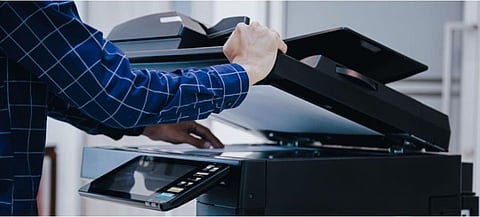
An office photocopier machine plays an important role in everyday business operations. Employees rely on it to print reports, copy documents, scan invoices and prepare important paperwork. When the machine works properly, these tasks are completed quickly without interrupting the working day. However, as office equipment gets older, its performance can gradually decline.
Many businesses continue using the same photocopier for years because replacing it seems like an unnecessary expense. However, an ageing machine can cost more in repairs, waste valuable staff time and create security concerns. Recognising the warning signs early can help businesses make a better investment and keep their daily operations running smoothly.
Here are eight signs that suggest it may be time to upgrade your office photocopier.
One of the clearest signs that an office photocopier needs replacing is a steady increase in repair costs. Older machines often develop recurring problems, including paper jams, poor print quality, faulty trays and damaged internal components.
While an occasional repair is normal, frequent service calls can become expensive. Replacement parts may also become harder to find as manufacturers phase out older models.
Businesses should compare the annual cost of maintaining their existing photocopier with the price of upgrading to a newer device. If repairs are becoming more frequent and expensive, investing in modern equipment may offer better long-term value.
Time matters in a busy workplace. When employees regularly wait for documents to print, copy or scan, small delays can affect overall productivity.
Older photocopiers may have slower printing speeds, longer warm-up times and limited paper-handling capacity. These problems become particularly frustrating in offices where several employees share one machine.
For example, an employee preparing a client presentation may need to wait several minutes for a large document to finish printing. When multiple departments experience similar delays, the lost time can add up.
A newer office photocopier with faster output and better processing capabilities can help employees complete routine tasks without unnecessary interruptions.
Business requirements change over time. A photocopier that was suitable for a small team may struggle when the company grows or starts handling more paperwork.
Perhaps your office now prints larger reports, processes more invoices or needs to scan documents regularly. Your existing machine may not have enough paper capacity, printing speed or functionality to handle this increased workload.
It is worth reviewing how employees use the machine and identifying any recurring limitations. Choosing equipment that matches your current workload, with enough capacity for future growth, can prevent productivity problems.
Office photocopiers handle more sensitive information than many businesses realise. They may process employee records, financial statements, customer details, contracts and confidential business documents.
Older devices may lack modern security features, leaving documents and stored information more vulnerable to unauthorised access.
Modern multifunction devices can offer useful protections, such as:
User authentication: Requires employees to verify their identity before accessing certain functions.
Secure printing: Holds print jobs until the authorised user releases them.
Access controls: Allows administrators to restrict specific functions based on user permissions.
Data protection: Helps protect information stored or transmitted by the device.
For businesses handling confidential information, these features can make upgrading an important part of a wider document security strategy.
Technology has changed the way offices manage documents. Traditional photocopiers were mainly designed to print and copy paper documents, but modern workplaces often need more flexible solutions.
If your current machine cannot scan directly to cloud storage, support mobile printing or integrate with existing office systems, employees may have to rely on additional steps to complete simple tasks.
Modern multifunction devices can combine printing, copying and scanning in one system. Depending on the model, useful features may include:
Cloud scanning and document sharing.
Printing directly from compatible mobile devices.
Automatic double-sided printing.
Document management integration.
User authentication and personalised settings.
Automatic document feeding for multi-page scanning.
These capabilities can reduce manual work and make everyday document handling easier.
Older office equipment can consume more electricity than newer, energy-efficient alternatives. Although the difference may not seem significant for a single print job, regular use throughout the working week can increase operating costs.
Energy consumption is particularly worth reviewing in offices where photocopiers remain switched on for long periods.
Modern devices may include automatic sleep modes, reduced-power standby settings and other energy-saving features. Double-sided printing can also help reduce paper consumption.
Businesses looking to improve their environmental performance should consider both electricity use and the amount of paper and toner their equipment consumes.
Poor print quality can make an office look less professional, particularly when preparing documents for clients, suppliers or business meetings.
Common warning signs include faded text, uneven printing, streaks, blurred images and inconsistent colour output. These problems may initially be linked to toner or maintenance issues, but repeated quality problems can indicate that important components are wearing out.
If employees regularly need to reprint documents to achieve an acceptable result, the machine is wasting both materials and time.
A newer photocopier with reliable printing technology can help produce clear, consistent documents for everyday business requirements.
Sometimes, the problem is not simply that an existing photocopier is old. It may be that the office needs a more capable document management solution.
Using separate machines for printing, copying and scanning can create unnecessary complexity. Employees may also need to move between different systems to complete routine tasks.
Modern multifunction devices bring these functions together in one system. Features such as secure printing, mobile connectivity, cloud scanning and automated document handling can simplify office workflows, reduce equipment clutter and make document management more convenient.
Once you recognise that your existing photocopier is no longer suitable, take some time to assess your office requirements before choosing a replacement.
Consider the following factors:
Monthly print volume: Estimate how many pages your employees print and copy each month. This will help determine the required printing capacity.
Printing speed: Look for a device that can handle busy periods without creating long queues.
Running costs: Compare toner consumption, electricity use, maintenance requirements and replacement parts.
Security features: Check whether the device supports user authentication, secure printing and appropriate data protection features.
Connectivity: Consider whether employees need mobile printing, network access or cloud scanning.
Future requirements: Choose equipment that can support business growth rather than only meeting today's needs.
It is also useful to involve employees in the decision. They use the photocopier regularly and can explain which problems affect their productivity most.
An office photocopier should make everyday work easier, not create additional problems. Frequent repairs, slow printing, rising energy bills, poor document quality and outdated security features are all signs that your existing equipment may be reaching the end of its useful life.
Upgrading to a modern multifunction device can improve productivity, simplify document management and reduce unnecessary running costs. By reviewing your office requirements and comparing the available features, you can choose a solution that supports your employees and keeps your business operations moving efficiently.
Inspired by what you read?
Get more stories like this—plus exclusive guides and resident recommendations—delivered to your inbox. Subscribe to our exclusive newsletter
The products and experiences featured on RESIDENT™ are independently selected by our editorial team. We may receive compensation from retailers and partners when readers engage with or make purchases through certain links.